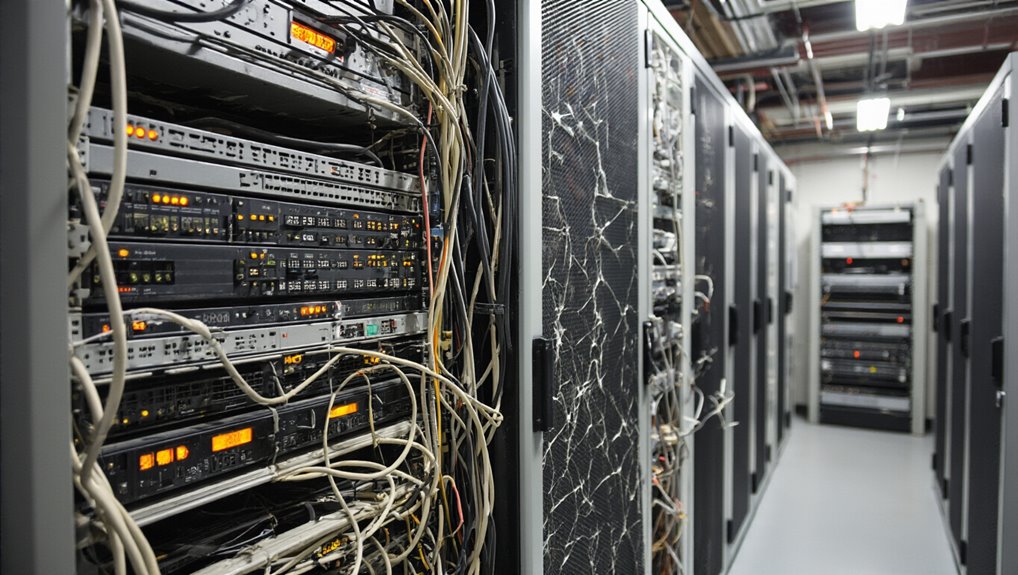
What Hardware Lifecycle Management Actually Involves
At its core, hardware lifecycle management (HLM) is a structured process that governs IT assets from acquisition to disposal.
It covers five distinct stages:
- Planning – Evaluating infrastructure, identifying gaps, and aligning budgets with organizational goals
- Procurement – Selecting and acquiring hardware while controlling costs and avoiding vendor lock-in
- Deployment – Installing, configuring, and integrating assets with proper documentation and testing
- Maintenance – Monitoring performance, applying updates, and scheduling proactive repairs
- Retirement – Decommissioning assets through secure data erasure and responsible disposal
Each stage builds on the previous one.
Skipping or mismanaging any stage creates operational inefficiencies, security vulnerabilities, and unnecessary costs.
A well-executed approach to HLM maximizes return on investment by extending the useful life of servers, storage, and networking equipment while lowering overall hardware and maintenance costs. Integrating systems and leveraging middleware can further streamline processes and improve reliability across the lifecycle.
Formal lifecycle policies provide a structured framework that guides decision-making and ensures consistency across every stage, from procurement through disposal, reducing the risk of costly oversights. These policies support robust, cost-effective infrastructure by establishing clear standards for how assets are acquired, managed, and retired.
How Long Each Type of Hardware Should Last
Understanding how long hardware should last helps organizations plan replacements before failures disrupt operations.
Each device category follows distinct longevity patterns:
- Desktop PCs: 5–7 years; upgradeable components extend use beyond that range
- Laptops: 3–5 years; battery degradation and heat buildup accelerate decline
- Mini-PCs: 4–6 years; cooling limitations restrict component longevity
- HDDs: 3–5 years; moving parts increase failure risk markedly
- SSDs: 5–10 years; write-cycle endurance determines lifespan
- Power supply units: 2–5 years; voltage instability signals replacement
- Laptop batteries: 2–3 years before noticeable capacity loss emerges
Tracking these timelines prevents unexpected failures. Heavy workloads and 24/7 continuous operation accelerate component fatigue across all device categories, shortening expected lifespans considerably. Cooling fans are among the more resilient components, with a lifespan of 7–8 years, though they require periodic maintenance to clear dust buildup that reduces airflow efficiency. Regular validation and data integrity checks are also essential to prevent cascading failures and ensure reliable asset records.
Why Most Hardware Lifecycle Programs Break Down
Hardware lifecycle programs fail not because organizations lack the right equipment, but because the management systems surrounding that equipment break down.
Hardware lifecycle programs don’t fail from lack of equipment — they fail when the systems managing that equipment break down.
Several recurring failures drive this collapse:
- Visibility gaps leave devices untracked, unmonitored, and unaccounted for during audits
- Departmental silos prevent procurement, IT, and finance from coordinating lifecycle decisions
- Unrecognized cost inflection points cause organizations to extend hardware past economical replacement thresholds
- Security oversights leave end-of-support devices running without patches or firmware updates
- Scalability failures occur when outdated processes cannot support growing device inventories
Each failure compounds the others, turning manageable inefficiencies into systemic breakdowns. Hardware follows a defined buy, use, maintain, retire cycle, and organizations that lose control of any stage create cascading vulnerabilities across the entire program. Vendors publish end-of-life lifecycle policies that establish concrete deadlines for support, security updates, and hardware replacement, giving organizations a critical foundation for planning refresh cycles before failures occur. A robust approach often includes implementing real-time visibility to provide instant tracking and alerts for transaction statuses.
The Business Case for Stronger Hardware Lifecycle Management
Many organizations treat hardware lifecycle management as an administrative burden rather than a strategic advantage—and that misjudgment carries measurable consequences.
A structured lifecycle program delivers value across five critical areas:
- Cost savings: Refurbished hardware costs up to 90% less than retail, and planned refresh cycles eliminate emergency purchases.
- Risk mitigation: Proactive maintenance and timely replacements reduce failures, breaches, and compliance gaps.
- Operational efficiency: Automated provisioning and scheduled upgrades minimize downtime.
- Sustainability: Certified disposal and refurbishment reduce e-waste.
- Business continuity: Regular refresh cycles keep infrastructure compatible, supported, and reliable.
Strong lifecycle management transforms hardware from a liability into a controlled, optimized asset. Its strategic direction spans every phase, from planning and acquiring to deploying, maintaining, and disposing of IT assets. SHI’s end-to-end solutions cover procurement, deployment, maintenance, and secure disposal to reduce the IT burden and free organizations to focus on innovation and growth. MSPs also provide continuous monitoring and managed support to ensure systems remain secure and compliant.
How to Fix a Broken Hardware Lifecycle Program
Recognizing the business value of hardware lifecycle management is only half the battle—the harder work lies in fixing programs that have already broken down. Organizations should approach repairs systematically:
- Audit current assets to expose inefficiencies, failure rates, and idle equipment.
- Define clear objectives around cost, security, or standardization before expanding scope.
- Standardize processes across procurement, maintenance, and decommissioning using automation and ITSM integration.
- Apply repair-versus-replace criteria based on age, compliance risk, and performance data.
- Reframe disposal as recovery through redeployment, certified recycling, and proactive upgrade planning.
Each step builds toward a measurable, sustainable program. With Windows 10 end of life arriving in October 2025, devices incompatible with Windows 11 will no longer receive security updates, making timely hardware decisions a critical part of any recovery effort. Typical lifecycle ranges vary by device type, with laptops and workstations averaging three to five years, servers five to seven years, and networking equipment five to eight years, giving teams a practical baseline for scheduling audits and refresh cycles. Supply chain managers often drive these decisions by coordinating procurement, maintenance, and distribution to optimize costs and resilience, reflecting their role in end-to-end operations.