What Is Computer Hardware?
Computer hardware refers to the physical, tangible components of a computer system — the parts that can be seen and touched. These include machines, wiring, and physical components that use electric signals to process and perform tasks. Hardware works alongside software, which provides the written instructions hardware needs to execute operations. The distinction between the two is straightforward: hardware is rigid and difficult to change, while software is easily modified. Hardware serves as the foundation for all computer operations, providing the essential resources that software depends on to function properly within any computing environment. Components such as input, output, storage and processing devices work together to execute instructions and handle data across the system. Modern computer hardware design follows the von Neumann architecture, which organizes the system around a centralized memory, a CPU, and input/output components connected by a common bus. Enterprise environments often rely on centralized data management to ensure efficient operations and real-time analytics.
The Four Types of Computer Hardware
Hardware components fall into four main categories, each serving a distinct role in how a computer functions.
Every computer relies on four essential hardware categories, each playing a unique and irreplaceable role in overall functionality.
- CPU: Acts as the computer’s brain, executing calculations and directing operations through its control unit, ALU, registers, and cache. Middleware can help modern CPUs interact with diverse services by providing protocol translation between components.
- Memory (RAM): Provides temporary storage for active programs, erasing all data when power is lost.
- Storage Devices: Holds data permanently using HDDs, SSDs, NVMe drives, or external options like USB drives.
- Input/Output Devices: Connects users to the system through keyboards, monitors, printers, and speakers.
Together, these four components make complete computing possible. Each component plays an important role in supporting the operating systems, applications, files, and data that a personal computer system depends on.
Input and Output Computer Hardware: What Each Type Actually Does
Among the four types of computer hardware, input and output devices form the communication layer between the user and the machine. Input devices send data to the CPU, while output devices present processed results back to users. Organizations leveraging APIs are 24% more likely to achieve profitability.
- Input devices: Keyboards, mice, microphones, and scanners capture commands or data
- Output devices: Monitors, printers, and speakers deliver visual or audio results
- Keyboards include typing, numeric, and control keys for varied input
- Mice translate physical movement into precise on-screen cursor coordinates
Together, these devices enable complete two-way interaction between humans and computer systems. Hybrid I/O devices, such as touchscreens, function simultaneously as both input and output hardware by displaying information while accepting direct touch commands. All of these components operate under OS control to manage hardware resources and maintain a consistent user interface.
Internal vs External Computer Hardware: What’s the Difference?
Within a computer system, hardware components fall into two distinct categories: internal and external.
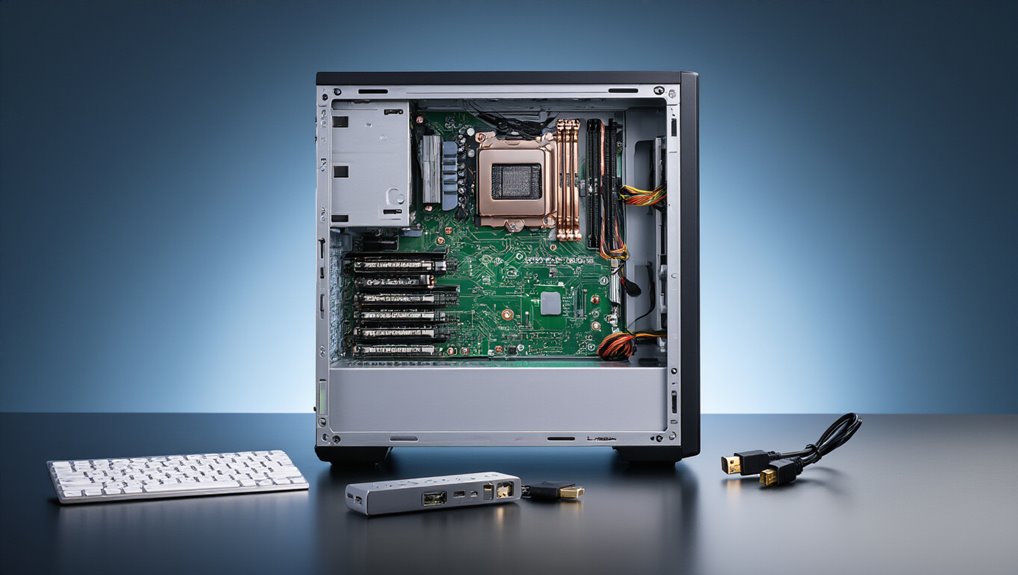
Internal hardware lives inside the case and keeps the system running. Key internal components include:
Internal hardware lives within the computer case, forming the invisible backbone that keeps every system running smoothly.
- CPU – processes instructions
- RAM – stores temporary data
- Motherboard – connects all parts
- Power supply – distributes electricity
External hardware connects through ports or wirelessly, enhancing usability without being essential. Common examples include monitors, keyboards, and printers.
Internal components attach directly to the motherboard via slots and cables. External devices use USB, HDMI, or Bluetooth connections. Internal hardware requires disassembly to remove, while external devices are plug-and-play. Networking hardware such as modems, routers, switches, and firewalls also falls into the external category, supporting Wi-Fi and network services across the system.
Hardware components are broadly classified based on the function performed, meaning whether a device handles input, output, processing, or storage determines how it is categorized within a computer system. Integrated systems also benefit from streamlined data flows that improve overall operational quality.